
Find it in the footage.
Your bike went missing last night. Instead of watching hours of CCTV, ask Oclo Trace. It goes through the recordings on your computer and shows you the moment, in minutes.
The Microsoft Store did not open? Open its page
Free for 7 days with one camera. The app needs a free key: get your free key or sign in.
- Windows 11 and 10
- Video stays on your computer
- Alerts on WhatsApp
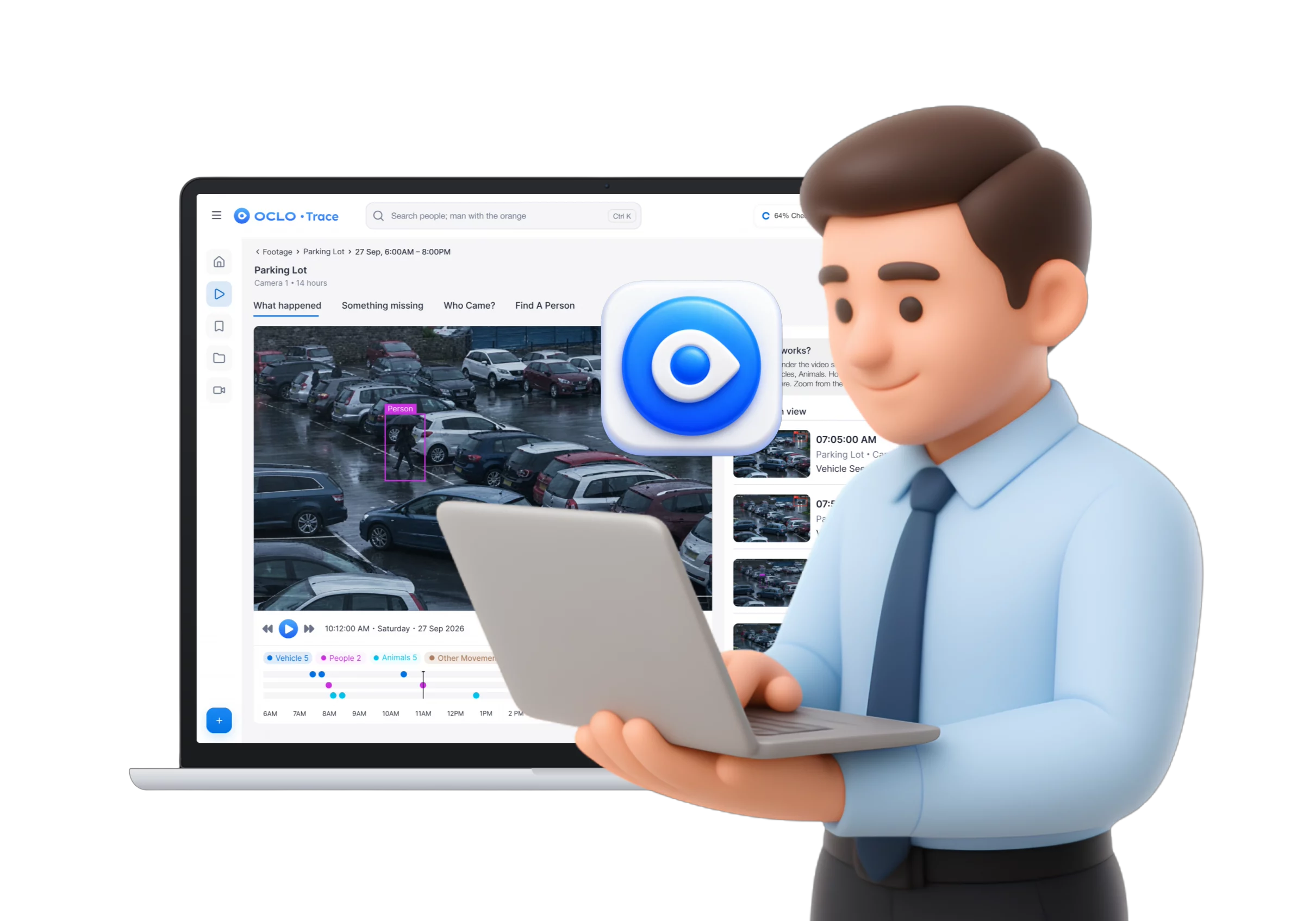
Ask it what you would ask a person.
The first two really happened: a stolen bike and a corridor mess, each an afternoon of scrubbing footage. Now each is a question.
- When did the bike go?
- Gone at 02:14:37
Draw a box where it stood. Oclo Trace finds the moment it went and who was there.
- Who made this mess in the corridor?
- First seen 11:42:05
Box the mess. You get the moment it appeared and the person who passed just before.
- Did anyone come to the gate last night?
- 3 people, 23:10 to 05:40
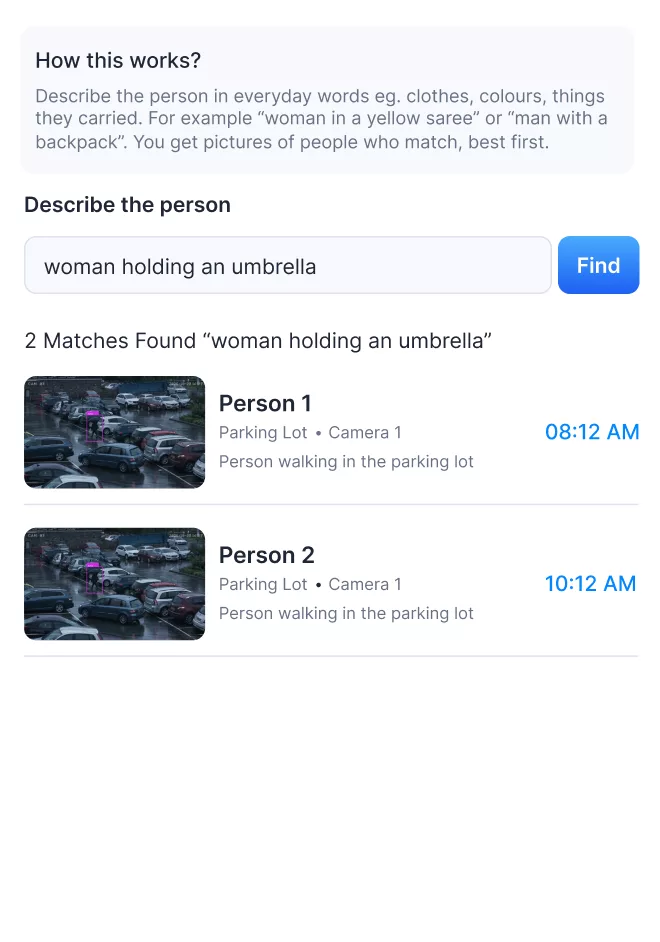
Type it like this. You see every person seen at night, on every camera.
Three steps, no settings.
Nothing to install on the recorder, no formats to convert, nothing to learn first.
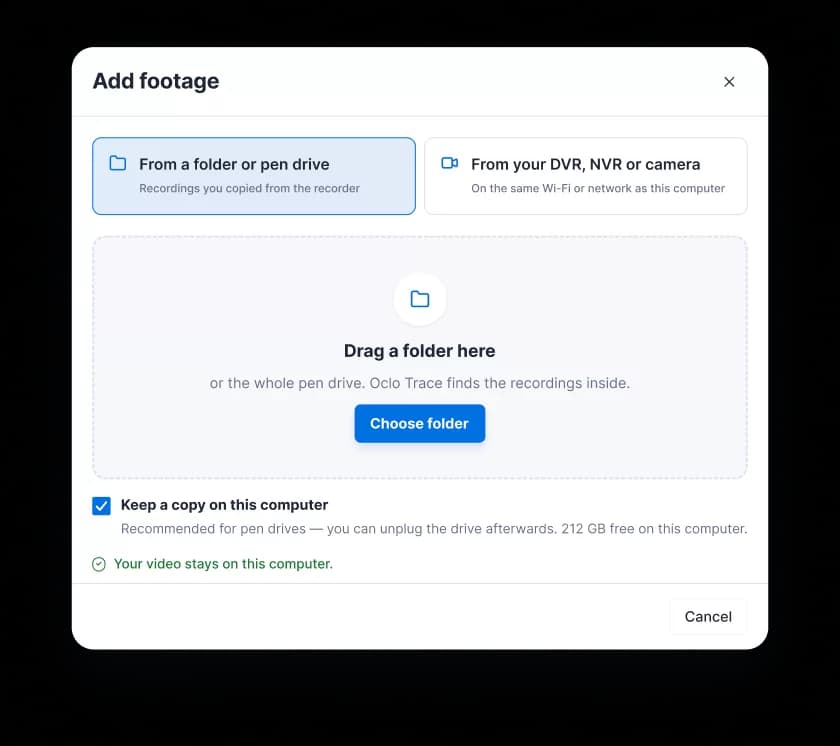
Add your footage
Drag in the folder from the pen drive, pick video files, or download straight from your DVR on the same network.
Ask Oclo Trace
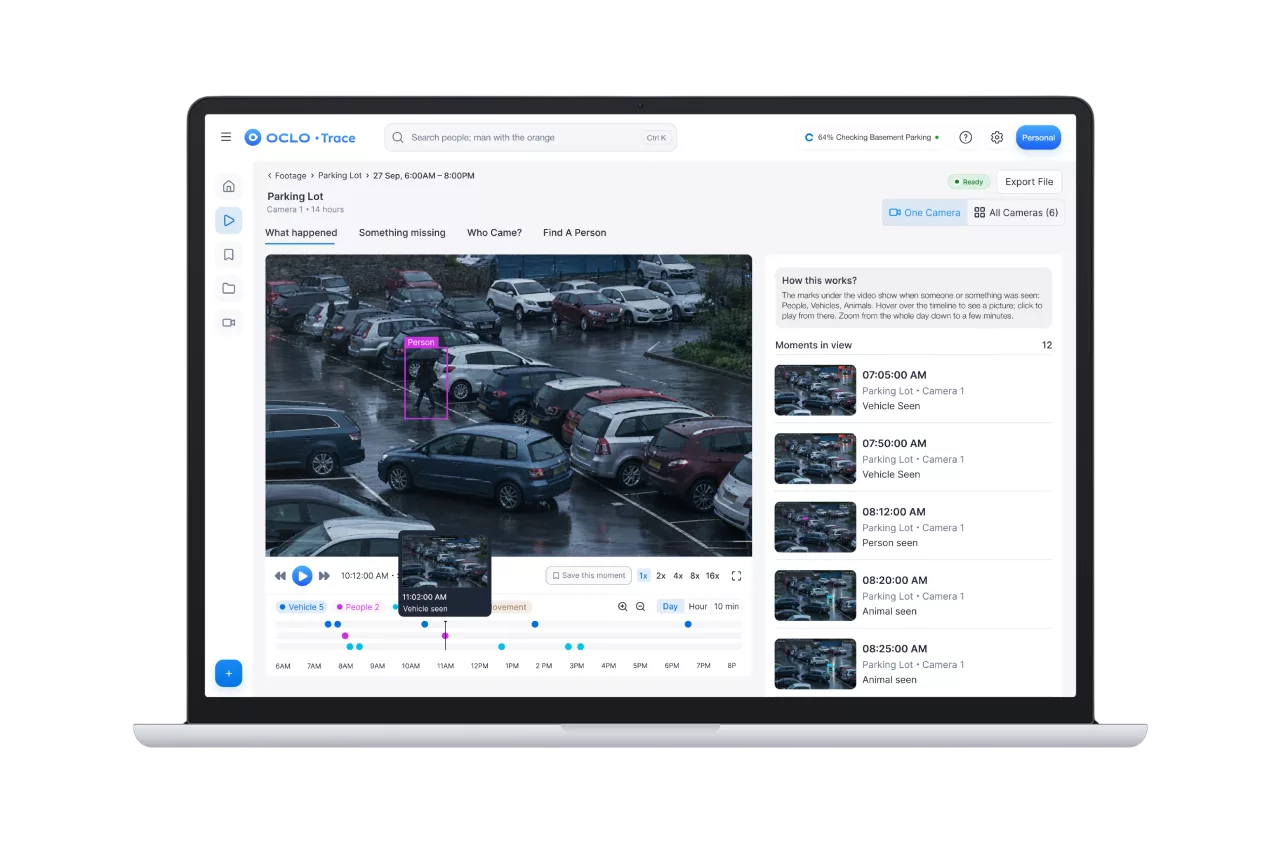
Type what you are looking for, or draw a box around something that changed. The first answers come within a minute.
Keep what you found
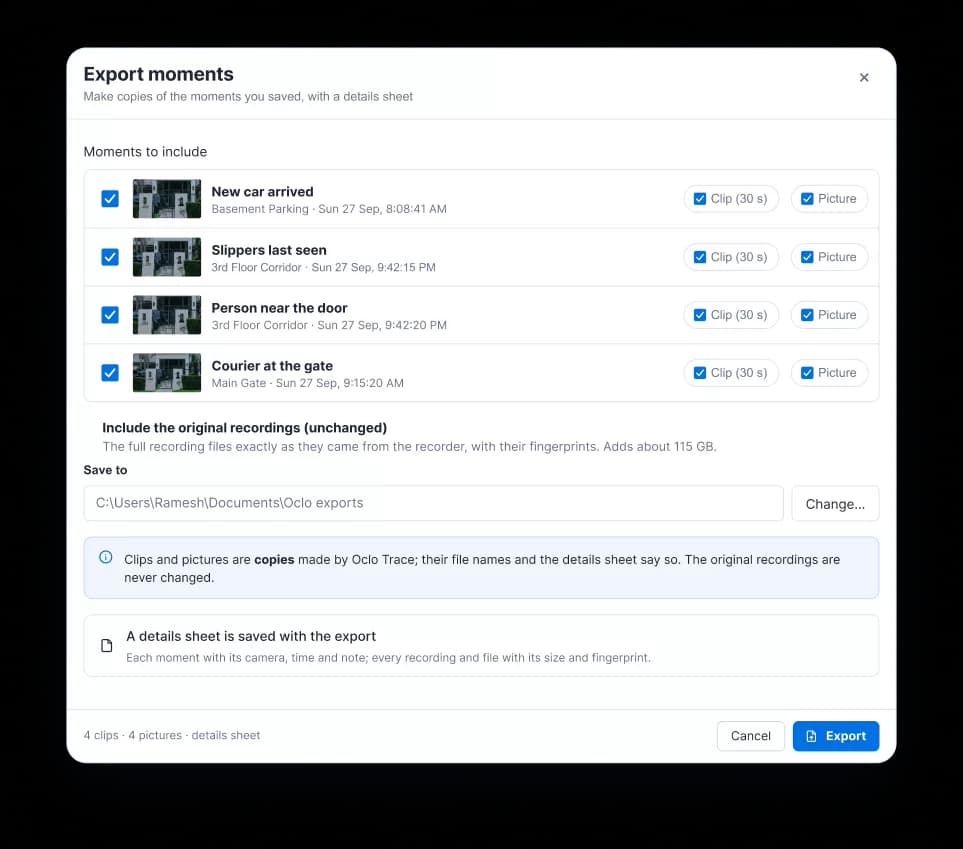
Save the clips and pictures with a details sheet: each recording's fingerprint, date and time, and camera. Your original files stay untouched.
The footage you already have.
New recorders come with their own search. Oclo Trace works with the one you bought years ago.
Pen drive exports, as they are
The folder your DVR or NVR copied, as it is: mixed folders, half-copied files, the player that came along.
Straight from your recorder
Download from the DVR or NVR on your network, with its own user name and password. If yours is not supported yet, the pen drive still works.
Video files
MP4 and the files recorders write. One clip is enough; it does not need a folder of its own.
A phone video of the DVR screen
The clip someone sent on WhatsApp works too, even when the phone was held by hand.
Your video stays on your computer.
Oclo Trace works on your computer, not on ours. To answer questions well, small pictures of the people and vehicles it finds are checked by our AI service; the recordings themselves stay with you.
Works offline
Finding things on your computer needs no internet.
Never uploaded
Your recordings stay on your computer.
Originals untouched
Oclo Trace works on copies.

Oclo Trace on WhatsApp
2:14 am

Gate camera
A man with an orange bag opened the gate at 2:14 am.
Oclo Trace
2:14 am
Gate camera
A man with an orange bag opened the gate at 2:14 am.
Know while it happens.
Leave Oclo Trace running and it watches your cameras through your recorder, even an old one. When something you asked about happens, you get one sentence and a picture on your computer, and on WhatsApp if you set it up, so you know even when you are away.
On your computer
On WhatsApp
The Microsoft Store did not open? Open its page
Pay for the cameras you watch.
Every plan has every answer. You choose how many cameras, and you can switch cameras any time.
2 months free with yearly
Free trial
1 camera
FREE
for 7 days
No card needed
Business
3 to 16 cameras
$15
per camera, per month
3 cameras
Starts with the free trial, then $45 a month
In every plan
- Answers to every question
- Alerts on your computer and WhatsApp
- All cameras on one timeline
- Export clips with a details sheet
Enterprise
More than 16 cameras, several sites, or Oclo Trace on your own server.
- Everything in Business
- Several sites
- Your own server
- Set up with you
Prices exclude VAT and other local taxes, which are added at checkout. Every plan starts with the free trial.
Got questions?
Here are the answers.
If you can't find the answer or need help, email us at support@octetlogictech.com
Get started in three steps.
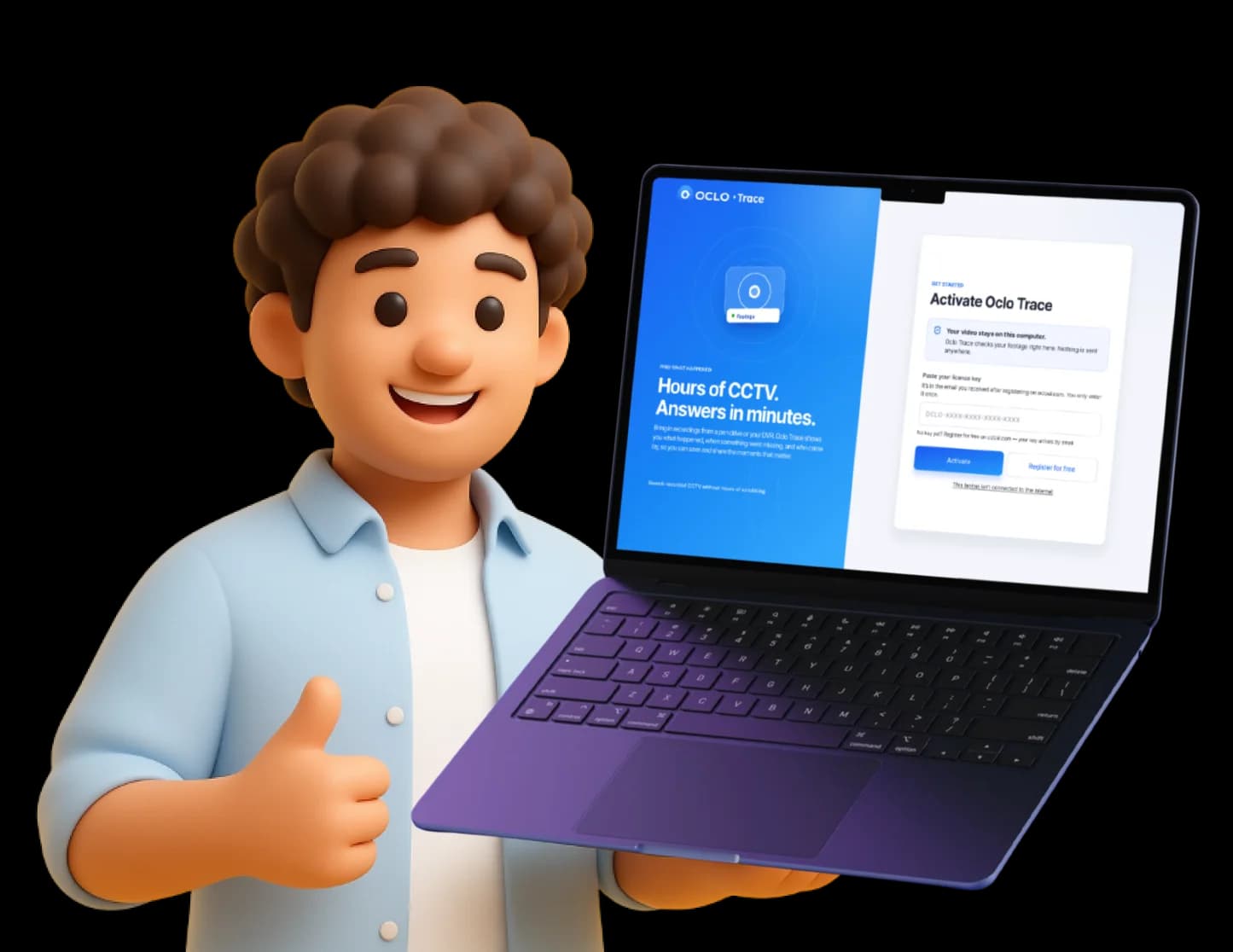
The app is free to download. Registering gives you the key that switches it on, free for 7 days.
Download the app
From the Microsoft Store, about 450 MB. Windows checks it and keeps it up to date.
Download for WindowsThe Microsoft Store did not open? Open its page
Type the key into the app
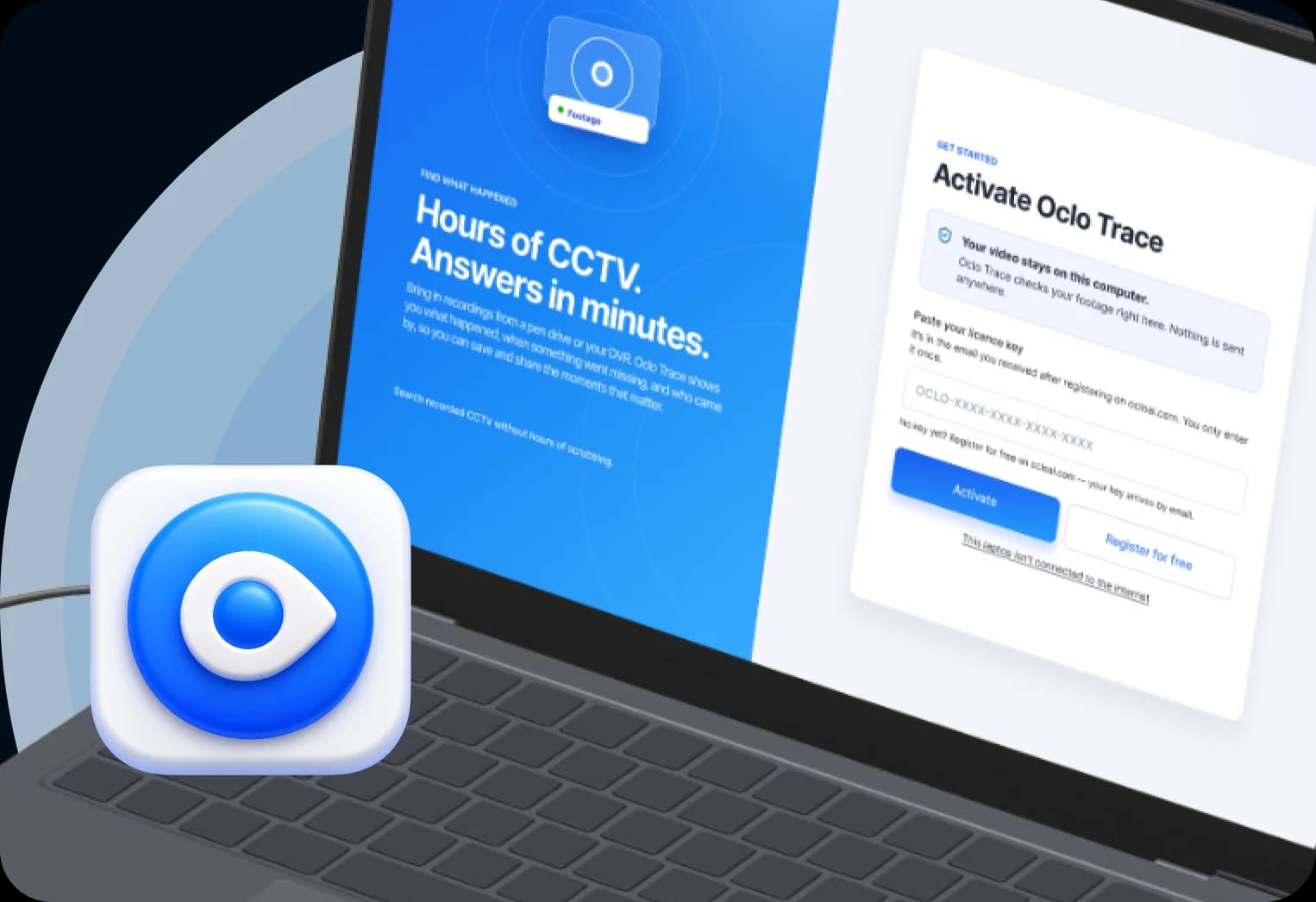
The app asks for it when it opens the first time. That is all: add your footage and ask.
Works on
- Windows 11, or Windows 10, version 1809 or later, 64-bit
- 8 GB of memory, 16 GB is faster with many cameras
- An Intel or AMD processor, most from 2015 or later; some older Celeron and Pentium models are not enough
- About 1 GB of free space, plus room for the footage you add
- Internet to set it up, for your licence key and the first downloads; finding things then works without internet
Not yet for Mac, or for Windows laptops with an Arm (Snapdragon) processor.
Get started today
Add your footage, let Oclo Trace check it, then ask what you want to find.
Download for Windows